
In the digital age, writing tools are essential. Grammarly is popular, but it’s not the only option.
If you’re looking for alternatives, you’re in the right place. Grammarly has helped many enhance their writing. It catches grammar mistakes, suggests better words, and checks for plagiarism. Yet, it isn’t perfect for everyone. Some users need features Grammarly lacks.
Others seek more affordable options. This blog post explores seven top alternatives to Grammarly. Each tool offers unique benefits to suit different needs. Whether you’re a student, writer, or professional, you’ll find a tool that fits your writing style. Ready to discover the best alternatives to Grammarly? Let’s dive in and explore these fantastic options.
Table of Contents
Introduction To Writing Tools
Writing tools have become essential in the digital age. They help writers improve their work. These tools catch grammar mistakes, suggest better words, and enhance readability. Many people know about Grammarly. It’s popular and effective. But there are other good options too. This blog explores seven alternatives to Grammarly.
Importance Of Writing Tools
Writing tools are crucial for anyone who writes often. They assist in maintaining proper grammar and style. These tools ensure your writing is clear and error-free. Good writing tools can improve productivity. They save time by automating proofreading tasks. Writers can focus more on creativity and less on corrections.
Here are some key benefits of using writing tools:
- Error Detection: They spot grammar and spelling mistakes quickly.
- Style Suggestions: They offer tips to enhance writing style.
- Readability: They help make text easier to read.
- Time-Saving: They reduce the time spent on editing.
Limitations Of Grammarly
Grammarly is powerful but not perfect. It has some limitations. Understanding these can help you choose the right tool for your needs.
Here are some common limitations of Grammarly:
| Limitation | Explanation |
|---|---|
| Cost | Grammarly’s premium version can be expensive. |
| Context | It sometimes misses context-specific errors. |
| Customization | Limited customization options for advanced users. |
| Language Support | Supports mainly English, fewer features for other languages. |
| Offline Use | Requires an internet connection to function. |
Exploring alternatives can offer solutions to these limitations. Different tools have unique features. They can cater to various needs and preferences. Keep reading to discover the best Grammarly alternatives.

Credit: adamjohnpurvis.com
Prowritingaid
ProWritingAid is a robust grammar and style checker designed for writers. It provides detailed feedback to help improve your writing. ProWritingAid goes beyond grammar checks and offers suggestions to enhance readability and style.
Features Of Prowritingaid
ProWritingAid boasts an extensive list of features that cater to writers of all levels.
- Grammar and Style Checks: ProWritingAid checks for grammar, punctuation, and style issues.
- Detailed Reports: It provides over 20 detailed writing reports.
- Integration: Integrates with Microsoft Word, Google Docs, and Scrivener.
- Thesaurus: Offers in-context thesaurus suggestions.
- Plagiarism Checker: Checks your text for plagiarism.
- Writing Style Analysis: Analyzes your writing style for consistency.
Pros And Cons
| Pros | Cons |
|---|---|
| Comprehensive grammar and style checks | Can be overwhelming for new users |
| Detailed writing reports | Slower processing speed |
| Integrates with popular writing tools | Limited free version features |
| In-context thesaurus suggestions | Plagiarism checker requires extra cost |
| Helps improve writing style | Complex user interface |
Hemingway Editor
The Hemingway Editor is a popular alternative to Grammarly. It focuses on making your writing clear and concise. Named after the famous writer, Ernest Hemingway, this tool helps you simplify your sentences.
Features Of Hemingway Editor
Hemingway Editor highlights complex sentences in yellow. It suggests breaking them down. It marks very hard-to-read sentences in red. This alerts you to simplify them. Adverbs are marked in blue. It encourages you to use stronger verbs. Passive voice is highlighted in green. It suggests using active voice instead. The tool also provides readability scores. This helps you know the reading level of your text.
Pros And Cons
Hemingway Editor is easy to use. It improves clarity and readability. The tool is visually appealing. It works offline. You can use it without an internet connection.
However, it has its limitations. It does not offer grammar checks. It lacks a plagiarism checker. The desktop version is not free. It also does not integrate with other platforms.
Ginger Software
Ginger Software is a powerful alternative to Grammarly. It helps improve your writing skills, corrects grammar errors, and enhances your text. This tool is ideal for non-native English speakers and anyone needing assistance with grammar and style.
Features Of Ginger Software
Ginger Software offers a range of features. It includes grammar and spell-check, punctuation correction, and sentence rephrasing. The software also offers a personal trainer to help you improve your English. Additionally, there is a text-to-speech feature that reads your text aloud. This helps you catch errors you might miss while reading.
Pros And Cons
Ginger Software has many benefits. It supports over 40 languages, making it a great tool for non-native speakers. The sentence rephrasing feature is unique and helps improve your writing style. The personal trainer offers personalized practice sessions to enhance your skills. Additionally, the text-to-speech feature is useful for proofreading.
However, there are some drawbacks. The free version has limited features. You need a premium subscription to access the full suite of tools. The interface can be confusing for new users. It may take time to get used to all the features. Despite these cons, Ginger Software remains a solid choice for grammar and writing assistance.
Whitesmoke
WhiteSmoke is a powerful writing tool that offers comprehensive grammar and style checking. It caters to writers, students, and professionals who seek to enhance their writing skills. WhiteSmoke provides a seamless user experience with its easy-to-navigate interface and robust features.
Features Of Whitesmoke
WhiteSmoke stands out with a range of features that make it a strong alternative to Grammarly:
- Grammar Checker: Identifies and corrects grammatical errors.
- Style Checker: Improves the tone and style of your writing.
- Punctuation Checker: Ensures proper punctuation usage.
- Spell Checker: Detects and corrects spelling mistakes.
- Translator: Translates text into multiple languages.
- Plagiarism Checker: Checks for duplicate content.
- Writing Templates: Provides templates for various writing needs.
Pros And Cons
WhiteSmoke has several advantages and a few drawbacks. Here’s a quick overview:
| Pros | Cons |
|---|---|
| Comprehensive grammar and style checking | Subscription-based service |
| Multi-language translation | Less intuitive interface |
| Writing templates | Occasional lag in performance |
| Plagiarism checker included | Limited free version |
WhiteSmoke offers a robust set of tools for improving your writing. Its comprehensive features and multi-language support make it a valuable alternative to Grammarly.
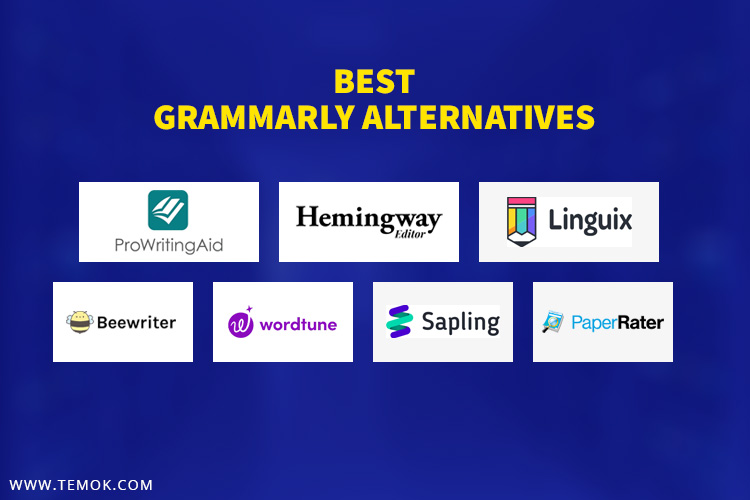
Credit: www.temok.com
Slick Write
If you are searching for an effective writing tool, Slick Write is a great choice. It helps you identify grammar errors, stylistic mistakes, and other issues in your writing. This tool is perfect for writers, students, and professionals who want to improve their writing skills.
Features Of Slick Write
Slick Write offers a range of features to enhance your writing. Here are some key features:
- Grammar Check: Identifies and corrects grammar mistakes.
- Style Suggestions: Provides suggestions to improve writing style.
- Readability Analysis: Analyzes text to ensure it is easy to read.
- Word Count: Displays the word count of your document.
- Browser Extension: Available for various browsers.
- Customizable Settings: Tailors the tool to your preferences.
Pros And Cons
| Pros | Cons |
|---|---|
| Free to use | Limited advanced features |
| Easy to navigate | Internet connection required |
| Detailed feedback | No mobile app |
| Supports multiple formats | May miss complex errors |
After The Deadline
If you are looking for a reliable alternative to Grammarly, After the Deadline is worth considering. This tool helps users improve their writing by identifying grammar, spelling, and style issues. It leverages artificial intelligence and natural language processing to provide accurate suggestions.
Features Of After The Deadline
- Grammar Checking: Detects and corrects grammar mistakes.
- Spell Checking: Identifies and corrects spelling errors.
- Style Suggestions: Offers tips to improve writing style.
- Contextual Spell Checking: Understands the context to provide better suggestions.
- Personal Dictionary: Allows users to add their own words.
Pros And Cons
| Pros | Cons |
|---|---|
| Free to use | Limited to web version |
| Easy to use | Not as advanced as other tools |
| Accurate grammar and spell check | Fewer features in comparison to Grammarly |
Overall, After the Deadline is a great tool for basic grammar and spell checking. It is free and easy to use, making it a good choice for those on a budget.
Languagetool
LanguageTool is a popular alternative to Grammarly. It is a powerful grammar and spell checker. It supports many languages and offers a variety of features.
Features Of Languagetool
- Multi-language support: LanguageTool checks texts in over 20 languages.
- Style suggestions: It offers style and tone suggestions to improve readability.
- Customizable rules: Users can add their own rules for specific needs.
- Browser extensions: Available for Chrome and Firefox for easy access.
- Privacy-focused: It checks text locally without sending data to the cloud.
Pros And Cons
| Pros | Cons |
|---|---|
|
|

Credit: thedigitalmerchant.com
Frequently Asked Questions
What Are Some Free Alternatives To Grammarly?
Some free alternatives to Grammarly include ProWritingAid, Hemingway Editor, and LanguageTool. They offer many useful features.
Which Grammarly Alternative Is Best For Students?
Hemingway Editor is great for students. It helps with readability and grammar. It’s easy to use.
Can I Use Grammarly Alternatives For Professional Writing?
Yes, tools like ProWritingAid and WhiteSmoke are suitable for professional writing. They check grammar and style effectively.
Do Grammarly Alternatives Support Multiple Languages?
Yes, LanguageTool supports multiple languages. It checks grammar and style in over 20 languages. It’s very versatile.
Conclusion
Choosing the right tool can boost your writing skills. Grammarly alternatives offer useful features. They help with grammar, style, and clarity. Explore each option to find what suits you best. Improve your writing with regular practice. Better writing leads to better communication.
Make your choice today and enhance your writing journey.
Leave a Reply