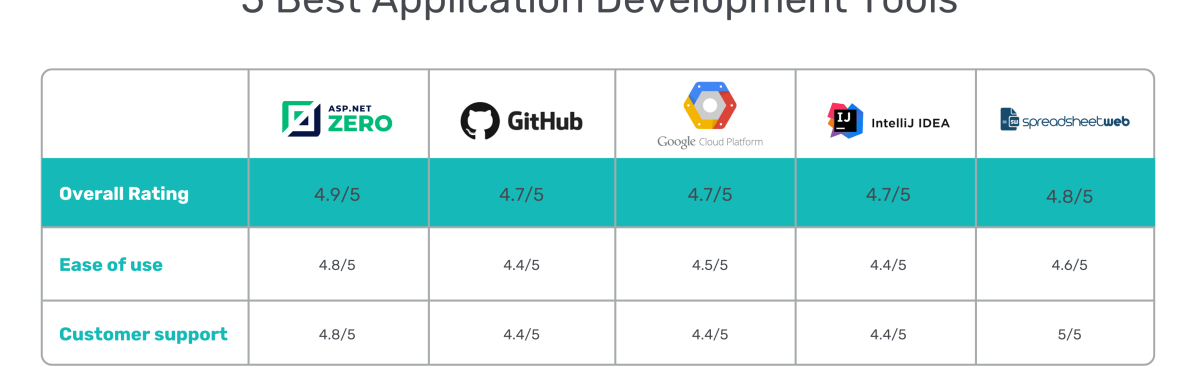
Essential tools for app development include an Integrated Development Environment (IDE) and a code editor. A strong project management platform is also crucial.
The journey to creating an exceptional application begins with the right set of tools. Developers are spoilt for choice with a plethora of software that caters to the needs of mobile and desktop app development. These instruments range from sophisticated IDEs, which provide a comprehensive environment for coding, debugging, and testing, to lightweight code editors, favored for their speed and flexibility.
Selecting a project management tool that aligns with your workflow is equally important, granting teams the ability to track progress and collaborate effectively. As technology evolves, these tools become more advanced, offering functionalities that streamline the development process. Ensuring that your toolkit is up-to-date can make a significant difference in the efficiency and success of your app development projects. Whether you’re building a native iOS app, an Android application, or a cross-platform solution, having the correct tools at your disposal is the cornerstone of producing a remarkable and functional app.
Credit: www.educba.com
Table of Contents
Essential Development Environments
Every app developer needs the right tools to create magic. Think of a painter without a brush or a chef without a knife. It’s the same for developing apps – impossible without development environments. These are spaces where code turns into functional apps. Stay tuned as we delve into the top picks for development environments, tailored for both novice and expert app developers alike.
Integrated Development Environments (ides)
IDEs are like the Swiss Army knife for programmers. They pack all you need in one place to write, edit, and test your app.
- Code Editor – Where the magic happens, writing lines of potential.
- Debugger – The detective that helps squash bugs in your code.
- Compiler/Interpreter – Transforms your code into app language.
Popular IDEs include Android Studio for Android apps, Xcode for iOS, and Visual Studio for cross-platform development. A good IDE speeds up the process, catching errors as you type and suggesting fixes.
Mobile Sdks For Android And Ios
SDKs, or Software Development Kits, are like the recipe books for app chefs. They guide you through building apps for specific platforms.
| Platform | SDK Name | Key Features |
|---|---|---|
| Android | Android SDK | API libraries, Android Emulator |
| iOS | iOS SDK | Interface elements, Xcode tools |
The Android SDK provides APIs and a handset emulator. It has everything to kickstart Android app development. The iOS SDK comes bundled with Xcode. It offers tools for interface design and testing on Apple devices.
Front-end Toolkits And Frameworks
Creating a stunning app rests on using the right front-end tools. These tools design what users see and interact with. They make apps attractive and easy to use. Let’s explore the essential front-end toolkits and frameworks for app developers.
User Interface Libraries
User interface libraries are collections of ready-to-use code. They help developers build app interfaces quickly. Libraries like ReactJS and Vue.js are popular choices.
- ReactJS: It’s a library for building user interfaces, particularly for single-page applications. It’s fast and scalable.
- Vue.js: Vue.js is known for simplifying web development. It provides data-reactive components with a simple and flexible API.
- Angular: It stands out for its two-way data binding feature. This library enables dynamic content management within the interface.
Cross-platform Development Options
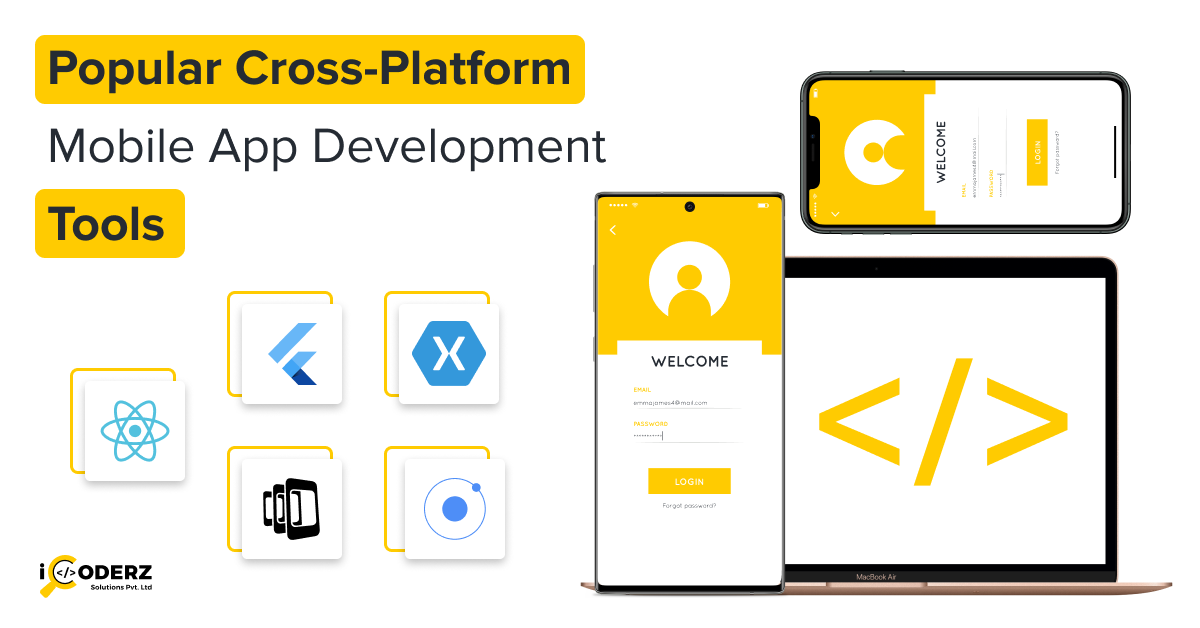
Cross-platform tools allow apps to run on multiple systems. With these, developers write code once and deploy on both Android and iOS.
| Tool | Supported Platforms | Codebase |
|---|---|---|
| React Native | iOS, Android… | JavaScript |
| Xamarin | iOS, Android… | C# |
| Flutter | iOS, Android… | Dart |
These options offer wide community support and resource libraries. This makes app development faster and more efficient. Choose one that fits your project needs and skill set.
Back-end Technologies
When building an app, the back-end technologies are the powerhouse. They manage how the app works, stores data, and talks to itself. Imagine this as the brain and spine of your app. Let’s dive into the tools that make it tick.
Database Management Systems
Databases are like big, secure chests where all your app’s treasures (data) are stored. These systems make sure everything is organized and easy to find. Let’s check out some key tools:
- MySQL – It’s like a good old friend; reliable and widely used.
- MongoDB – A document database that loves to deal with big data.
- PostgreSQL – This one is super smart and handles loads of data types.
Server-side Programming Languages
These languages are the hidden words that give life to your app’s back-end. They allow the app to do complex tasks. Below are some of the top choices:
| Language | Use Case |
|---|---|
| Node.js | Great for real-time apps and speedy performance. |
| Python | Loves data science and has many frameworks to help you build fast. |
| Java | A strong choice for Android apps and large systems. |
These server-side languages help take care of all the heavy lifting that users won’t see but will absolutely feel in the smooth operation of the app.
Testing And Quality Assurance
Testing and Quality Assurance is a critical stage in app development. It makes sure your app works well and is bug-free. This part of the process helps apps run smoothly and please users. Let’s look at some essential tools to get this job done right.
Unit Testing Frameworks
These frameworks check the smallest parts of an app, called units. They make sure that each part does its job perfectly. Developers rely on them to catch errors early. Some top units testing frameworks include:
- JUnit for Java applications
- XCTest for iOS apps
- Espresso for Android apps
Automated Ui Testing Tools
These tools test the app’s user interface. They act like real users to ensure everything on screen works. Automated UI testing tools can save a lot of time. Here are a few developers often use:
- Selenium: Tests web applications across different browsers
- Appium: A tool perfect for mobile apps
- TestComplete: Helps test desktop, mobile, and web apps
Collaboration And Version Control
Developing apps is like building a house. Tools for teamwork and tracking changes are vital. This section explores those essential tools.
Code Versioning Systems
In app development, keeping track of code changes is crucial. Code versioning systems let developers work together without losing work. It’s like a diary for your code.
- Git: A popular tool that helps with tracking code changes.
- Subversion (SVN): Another system for managing files and changes over time.
- Mercurial: Known for its speed and easy use, another great choice.
These tools use repositories to store code. They track every change, so nothing gets lost. Teams can work on different parts at the same time.
Project Management Platforms
Teamwork makes the dream work in app development. Project management platforms assemble tasks, deadlines, and conversations. Keep projects on track easily.
| Platform | Usefulness |
|---|---|
| Jira | Great for agile development. Tracks bugs, tasks, and sprints. |
| Trello | Visual boards for tasks. Simple and collaborative. |
| Asana | Streamlines tasks and goals. Perfect for big teams. |
These platforms show progress and who’s working on what. Teams stay informed and avoid overlap. Choose a platform that fits the project’s size and complexity.
Credit: www.icoderzsolutions.com

Credit: nullclass.com
Frequently Asked Questions Of Tools Required For App Development
What Software Tools Are Essential For App Development?
Software development kits (SDKs), integrated development environments (IDEs), and version control systems are essential tools for efficient app development.
How To Choose App Development Platforms?
Consider the target audience, app complexity, required features, and your proficiency with programming languages when choosing an app development platform.
What Are The Top App Development Frameworks?
Popular app development frameworks include React Native for cross-platform apps, Swift for iOS, and Flutter for natively compiled applications.
Conclusion
Embarking on app development demands the right tools to turn concepts into reality. Selecting from the vast array available shapes the journey’s effectiveness. This guide has equipped you with essentials, from code editors to debugging software. Tailor your toolkit to your project’s specifics and set sail towards a successful app launch, ready to navigate the app development seas with confidence.
Leave a Reply